Chatbots and AI Assistants for Small Businesses: Where to Start in 2026–2027

Most small businesses today still view chatbots as little more than a magnet-shaped icon with a chat bubble stuck in the bottom-right corner of a website. Business owners expect to plug in a few dozen pre-written Q&A pairs, or even dump an entire PDF manual into some “AI” system, and assume everything will run smoothly. The typical result? Customers send three messages, hit a meaningless loop, and click “talk to agent.” This failure isn’t due to weak artificial intelligence it stems from ignoring the fundamental components of a real support system.
Three Essential Pieces of a Real AI Assistant (Not a Puppet)
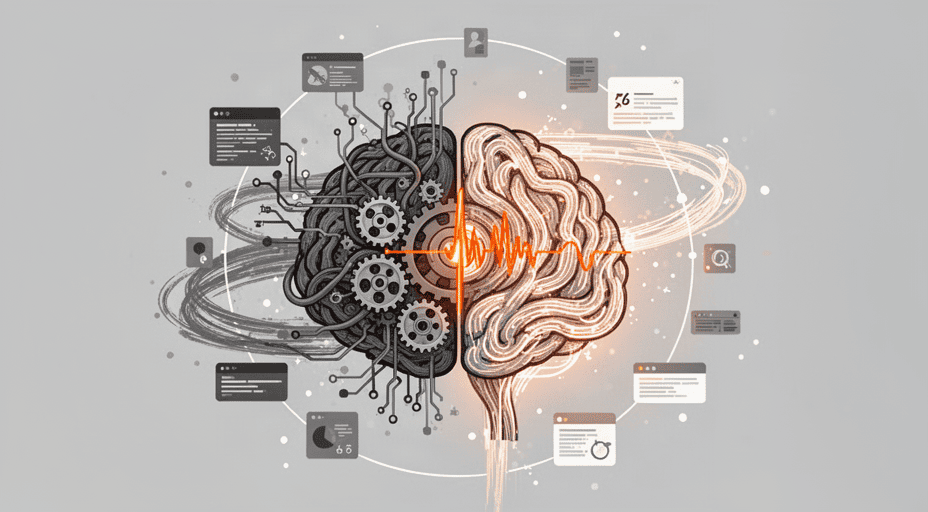
Before designing features, we must look at what actually runs beneath all promises of a “smart virtual assistant.” An AI-powered customer support system isn’t a single monolithic block. It consists of three distinct physical components, each functionally separate. A weakness in any one piece renders the entire system worthless.
The Brain: Language Models Are Not Magic Spells
What people call “AI” in chatbots is actually a sequence prediction model. It takes text input (including conversation history and system instructions) and generates the next units of text token by token, based on probability distributions learned from hundreds of billions of text samples. There is no thinking. No consciousness. Just pattern mapping from context to token.
The strength of this brain lies in its ability to recognize patterns in human language: understanding questions despite spelling errors, rephrasing the same intent in three different ways, or detecting the underlying intention behind a long complaint. But its critical flaw is that it knows nothing about your business. Large models (like GPT-4, Claude 3, Gemini Ultra) are trained on public internet data, cut off at a specific time point. They are completely blind to your updated pricing, employee work schedules, unique return policies, or real-time inventory levels.
To make this brain useful, people often use an intermediate layer called a system prompt a text block describing role, tone, and boundaries. But a prompt alone cannot fix this data blindness. This is why the second piece becomes essential.
The Memory: Information Retrieval Is Not Just Text Search
This is where most small businesses stumble. They hear marketing claims, dump all internal documents into a vector database, and expect the language model to “understand” everything. The mechanism behind this is retrieval-augmented generation (RAG). Text is split into small chunks, each converted into a numerical vector representing its semantic meaning. When a customer asks a question, the query is also vectorized, and the system finds the closest matching chunks, which are then injected into the brain’s prompt as “reference material.”
Common failure: mathematically similar vectors don’t guarantee correct answers. A customer asking, “My puppy vomited after eating when should I see a vet?” might retrieve a paragraph about “puppy vaccination schedules” simply because both contain “puppy” and “vet.” The language model may then give a completely off-topic answer or worse, hallucinate a fake vaccination schedule based on incorrect suggestions.
A valuable RAG system requires rigorous preprocessing: cleaning data, classifying queries, designing overlapping chunks, fine-tuning the vector model to be sensitive to vertical-specific context, and most importantly, a reranking mechanism to evaluate suggested passages before injecting them into the prompt. Without these steps, so-called “AI document understanding” is just blind text stitching.
The Action Engine: Connecting to the Business’s Real World
An AI assistant that can’t check appointment availability, create a real return ticket, or send an SMS confirmation is just a loudspeaker repeating information. To go beyond this, the brain must be given the ability to call external APIs specific actions that change the state of real systems (scheduling appointments, updating CRM, creating support tickets).
This is where function calling or tool use comes in. Designers define a set of tools with descriptions and input parameters. When the language model detects a customer request requiring a specific action (e.g., “schedule a Wednesday afternoon appointment”), it doesn’t respond with text. Instead, it returns a JSON structure instructing the system to call the calendar-checking API. The API result is then fed back into the context so the model can generate the final response.
For small businesses, this is the line between a harmless Q&A bot and an assistant that genuinely reduces workload. But it’s also the part requiring the tightest workflow design. A small logic error like allowing double bookings or accidentally deleting records can have far greater consequences than a silly response.
Execution Strategy: Where to Start When Budget and Staff Are Tight
Understanding the three components is necessary. But how can a three-person shop with no IT staff actually assemble them into something useful? Below is a concrete roadmap, illustrated with a realistic simulated case.
The Case of PetCare+ – A Three-Person Veterinary Clinic
PetCare+ is a small suburban veterinary clinic: one lead veterinarian (also owner), one receptionist, and one nurse. They receive about 20–30 calls and Facebook Messenger messages daily, mostly about: vaccine pricing, emergency symptoms, appointment booking, checking existing appointments, and post-surgery care. The receptionist is overwhelmed, and the vet loses focus by replying to private messages mid-consultation.
Their first step wasn’t buying an AI solution. They spent two weeks categorizing all messages received over the past three months into five major question groups, with frequency counts. For each group, they listed every way customers phrased the same question (over 20 variations of “When should I spay my cat?”). Then, they clearly identified the required real data: service price list, vaccine types with standard schedules, vet-approved care guides, and most importantly a Google Calendar with current appointments.
Only after building this clean, live data framework did they start choosing tools. They decided against building from scratch. They used a SaaS platform designed for veterinary clinics with built-in AI assistant features (hypothetical platform “VetFlow AI”), allowing document uploads, drag-and-drop conversation flows, and native Calendly integration for booking. Initial cost: $79/month. They connected their clinic’s Facebook Messenger to this system. It took another two weeks to fine-tune the prompt, test responses with 50 sample questions, and set a rule: if the AI’s confidence is below 85% (self-reported in the prompt), it routes to the receptionist with a summary of what the customer provided.

After eight weeks: 65% of messages were fully resolved by the system without human intervention, including appointment booking, automated reminders, vaccine pricing, and basic care questions. The receptionist could focus on in-person visitors. The vet no longer had to reply to messages between appointments. This isn’t a magic number it’s the result of spending 70% of initial effort on data classification and cleaning, and only 30% on technology.
Key Takeaways from PetCare+: The power of an AI assistant is proportional to the quality and structure of the data it’s given not the flashiness of the platform. Starting by classifying real customer needs is the cheapest step but the one that determines success or failure.
A Three-Stage Roadmap for Any Small Business
Based on this case, the process can be standardized into three stages, regardless of industry.
Stage 1: Collect and Structure Data (2–3 weeks, near-zero cost)
- Export all chat history, emails, and call notes from customers over the past 6 months.
- Manually group them into 5–7 main request types.
- For each type, list all phrasing variations. Include difficult questions and edge cases.
- Create a single “source of truth” document for each information type: price list, warranty policy, order process, and standardized answers to common questions.
- Identify tools requiring action integration (CRM, calendar, booking system) and check if they have APIs.
Stage 2: Choose Deployment Model and Build Prototype (2–4 weeks)
- Decide on a solution using the comparison matrix and scorecard in the next section.
- Build a core system prompt, emphasizing brand tone and response boundaries (no medical diagnosis, no unauthorized discounts, etc.).
- Upload the “source of truth” documents into the system. Test each question group with at least 20 sample queries. Log and fix every incorrect or off-topic response at the data or prompt level.
- If using function calling, test actions in a separate sandbox environment to avoid affecting real data.
Stage 3: Limited Rollout and Gradual Expansion (Ongoing)
- Launch the AI assistant on a secondary channel first (e.g., Messenger), without fully replacing human staff.
- Track the fully resolved rate the percentage of conversations the AI handles from start to end without customer requesting a human.
- Collect feedback with a quick end-of-chat question: “Was the information complete for you?”
- Gradually expand the types of questions allowed and add channels (Zalo, website) once the fully resolved rate exceeds 60% and serious error rates approach zero.
Measuring and Choosing Tools: A Decision Matrix for Non-Experts
There is no single “best” solution. Each option trades off convenience, cost, and control. For small businesses, common mistakes include choosing overly complex solutions or overly simplistic ones that can’t be customized when needed.
Comparison of Implementation Approaches
| Criteria | No-code Platforms (Botpress, Voiceflow, Landbot AI) | Industry-specific SaaS (Zendesk AI, Intercom Fin, Tidio) | Custom build using LLM APIs (OpenAI, Anthropic) | Self-hosted open models (Llama 3, Mistral) |
|---|---|---|---|---|
| Setup Cost | $0–$99/month, often with limited free tier | $29–$150/month, potentially higher per ticket fees | API cost per token, initial dev cost $2,000–$10,000 | Infrastructure $100–$500/month for GPU, plus engineering cost |
| Deployment Time | 1–2 weeks with existing scripts | 2–4 weeks for data sync | 4–8 weeks, requires developer | 8–12 weeks, requires system operators |
| Behavior Customization | Low to medium (script-based, limited real data access) | Medium (customizable flows, limited model control) | Very high (full prompt, tool, and optional fine-tuning control) | Highest (full control over model and data) |
| Internal Data Integration | Limited, usually via simple webhooks or static files | Good if integrated with common CRM/Calendar | Flexible, can call any REST API | Same as API if self-coded, but requires development |
| Technical Requirement | Almost no coding | No coding, configuration knowledge needed | Requires experienced backend developer | Requires ML ops and backend team |
Scorecard for Typical Small Businesses (Scale 1–10)
Assume the target business has limited budget, no IT staff, and needs a working solution within one month. Higher scores indicate better fit.
| Criteria (implicit weight) | No-code Platform | Industry-specific SaaS | Custom LLM API Build | Self-hosted Open Model |
|---|---|---|---|---|
| Cost & Financial Risk | 9 | 8 | 4 | 2 |
| Deployment Time | 9 | 7 | 3 | 1 |
| Accuracy & Real-World Data Alignment | 5 | 7 | 9 | 8 |
| Action Capability (booking, ticket creation) | 4 | 7 | 9 | 9 |
| Ease of Maintenance & Tech Independence | 7 | 8 | 3 | 2 |
| Total Score (raw sum) | 34 | 37 | 28 | 22 |
Quick score explanation:
- No-code platforms score high on speed and cost but fall short on real data integration and action capabilities. Once a business needs more than simple branching scripts, these platforms quickly become glass ceilings.
- Industry-specific SaaS (especially those with built-in integrations with calendars, CRM) hit the sweet spot for small businesses using common tools. They trade a bit of model flexibility for stability and “plug-and-play” readiness. The highest total score reflects practical suitability.
- Custom LLM API builds are designed for complex problems. For small businesses without developers, this is a time and cost trap. Low scores in finance and maintenance serve as warnings, not denials of capability.
- Self-hosted open models are currently for tech companies, not bakeries, clinics, or fashion stores. Infrastructure and staffing costs make them economically unfeasible in early stages.
On a 10-point scale: 1–4 = low (reconsider or avoid), 5–8 = fair (possible with support), 9–10 = excellent (optimal fit). The SaaS specialized (37) and no-code (34) options both score fair to good, but given the need for real actions like booking or ticket creation, the industry-specific SaaS clearly wins in integration readiness.
Outlook 2027–2028: When Language Models Become Transactional Employees
2026 is seeing a shift from passive AI assistants to agentic workflows multi-step autonomous processes. Models like GPT-5 and Claude 4 are expected to plan multi-step actions, call APIs in dependent sequences, and cross-check data without humans defining every step. For small businesses, this means describing a business process in plain language could allow the system to build and execute it autonomously.
However, the lesson from PetCare+ remains valid: if internal data isn’t organized into machine-readable sources and responsibility boundaries aren’t clear, the more capable the agent, the more likely it is to cause cascading errors. The biggest risk in 2027–2028 isn’t weak AI it’s overly confident AI executing transactions on poor data or ambiguous processes.
Therefore, the answer to “where to start” hasn’t changed in essence: start by understanding the structure of your information and your customers’ real communication needs. Technology is just the final layer. No matter how intelligent the brain, it’s useless when connected to a body without senses.
Related Posts

AI Dependence Is Changing How Small Businesses Make Business Decisions

AI Marketing for SMEs: Why Small Businesses Prioritize This Area

The AI Revolution Is Lowering Software Development Barriers to Nearly Zero, Unleashing an Unprecedented Wave of Indie Hackers

Founders Are Using AI to Scan Reddit for Real Customer Problems Before Writing a Single Line of Code

AI Solves the Staffing Shortage Puzzle: How Small Businesses Can Scale Without Hiring More