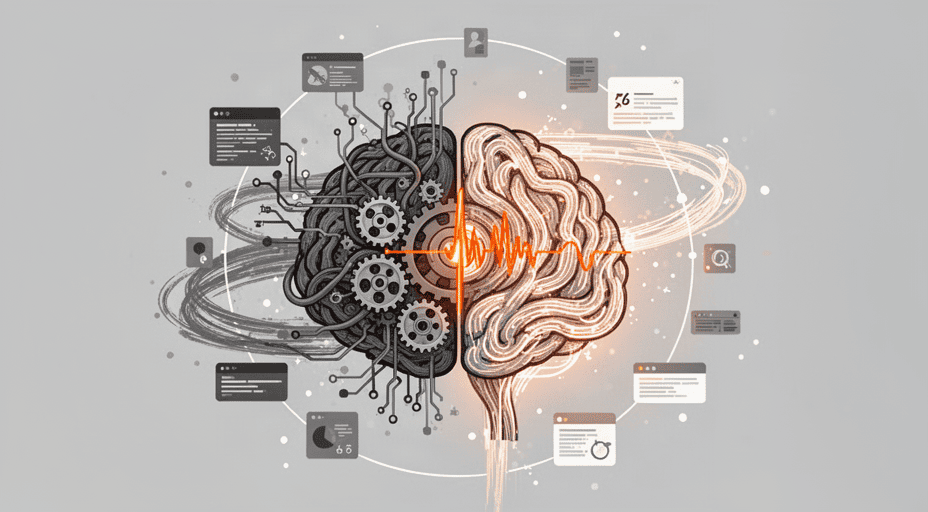
Why Small Businesses Fear AI and Four Psychological Barriers to Address Before Automation

When a small business owner says they don’t need AI, they’re often saying the opposite. They’re afraid that their current system running on memory, messages, and personal relationships will be held up to an uncomfortably honest mirror.
It’s not the machine that causes fear. It’s the realization that existing processes are more fragile than previously believed.
The fear lies in outdated operations, not new technology
Today’s automation tools are already user-friendly enough for businesses without an IT department. What remains is the psychology of leadership. They aren’t afraid of algorithms misreading invoices. They fear that standardizing workflows will expose gaps they’ve historically managed through experience.
Small businesses often survive on improvisation. One employee might simultaneously handle sales, data entry, and confirmation calls. When AI is introduced, this flexibility is replaced by fixed workflow steps. This creates a sense of losing a safety net.
Therefore, before asking which tool to choose, we must correctly name the four layers of psychological defense preventing small businesses from crossing the automation threshold.
Four psychological barriers to dismantle before enabling automation
These four barriers aren’t isolated they form a chain reaction: fear of losing control → fear of losing relevance → fear of sunk costs → fear of dependency. Each barrier has its own way of being addressed.
First barrier: Fear of losing immediate control
Small business owners often intervene directly in operational decisions. When an order has issues, they want to jump in immediately. An AI agent can automatically categorize or update status, but when the workflow reaches its final step, the feeling of holding the reins disappears.
This loss of control doesn’t stem from AI’s speed. It comes from intermediate steps being compressed into a black box. Operators no longer see where data flows.
Key insight: Don’t automate the entire chain from day one. Retain a manual approval step at exception points. The human-in-the-loop mechanism doesn’t slow down the process enough to cause harm, but it preserves the nerve of control.
Second barrier: Fear of losing personal relevance within the team
It’s not just owners employees also fear automation will make them redundant. A long-time data entry clerk may interpret AI automatically inputting hundreds of rows as a signal their role is ending.
But in reality, AI doesn’t replace judgment. It replaces repetitive actions. Judgment still belongs to humans when facing edge cases that don’t match predefined patterns.
Key lesson: During rollout, publicly redefine roles instead of eliminating old positions. For example, reposition data entry staff as data quality auditors. This isn’t just PR it’s a realignment of labor based on what machines cannot do.
Third barrier: Trapped by sunk costs and fear of public failure
Many small businesses have already invested in accounting software, complex Excel sheets, and internal procedures. When AI appears, they worry the next investment could become a second sunk cost.
This fear intensifies because small businesses lack private testing labs. A failed automation project might be discussed among employees or noticed by partners. It becomes social embarrassment, not just financial risk.
Implementation strategy: Choose a pilot small enough that cost isn’t critical, yet realistic enough to generate meaningful data. Never launch a comprehensive automation project on the first attempt.
Fourth barrier: Fear of being locked into a technological black box
The final barrier involves data ownership and vendor dependency. A small business doesn’t want to wake up tomorrow realizing all order processing runs inside a closed platform.
They fear AI becoming a black box they can’t fix when the system fails. This leads to delay: “Better slow than dependent.”
The solution lies in data architecture. Choose tools that allow exporting data in open formats, with APIs or sync capabilities to private data tables. When data stays within reach, the black box loses its terror.
Key Takeaway: These four barriers can’t be erased with arguments alone. They dissolve only when a business experiences a small test with human approval steps and data under full control.
Pilot at Atelier Nord: Removing barriers through a narrow task
Operational context and where the four barriers erupted
Atelier Nord is a small garment workshop in Copenhagen, specializing in B2B orders from independent fashion brands. A team of fewer than twenty handles orders via email and private spreadsheets. With each new collection season, overlapping orders lead to measurement errors and mismatched material codes.
The workshop owner attended two AI agent demos but hesitated to implement. His stated reasons: fear of losing track of orders, concern that staff would feel replaceable, and anxiety over spending money on something he couldn’t master.
All four barriers appeared simultaneously, reinforcing each other in a loop. The greater the fear of losing control, the longer the delay. The longer the delay, the heavier the perceived sunk cost.
Intervention sequence addressing each barrier
The first step wasn’t choosing an AI tool. The operations team mapped the order-processing workflow on a whiteboard. They documented data sources, touchpoints, and decisions requiring human judgment.
Then, they selected a narrow task: classifying structured order emails. An AI agent reads email content and suggests one of three statuses: new order, needs clarification, or invalid order. The team leader retains final approval.
The former data entry clerk was reassigned: monitor emails that don’t match templates. A new exception handler role emerged. She no longer manually inputs every line but focuses on unusual orders.
Order data syncs to a company-owned data table, not stored within the AI platform. The owner can export data anytime. This removes the fourth barrier the black box fear.
The pilot ran for only two weeks on a segment of existing customers. No big announcements. No launch ceremony.

Qualitative results after two cycles
After two weeks, order processing time didn’t drop immediately. But the number of follow-up clarification emails decreased noticeably. The data entry clerk reported she no longer felt overwhelmed opening the shared inbox.
The owner realized control remained intact as long as exception approvals were preserved. Initial costs were low because the tool charged per processing action.
Key lesson: Barriers dissolve when people see themselves still making final decisions. The more transparent the tool, the weaker the fear.
Key Takeaway: A narrow experiment with real data and retained human approval can unlock psychological resistance that two demo sessions couldn’t.
Implementation strategy before hitting the automation button
Map your current process at the operational level
Pick a repetitive daily task. Avoid large scopes like full accounting. For example, focus on replying to order confirmation emails.
Document every step: data sources, who touches it, which decisions require judgment. Mark repetitive steps versus those needing human input.
This mapping reveals the boundary between machine-handled and human-required work. This clarity forms the foundation for all future automation decisions.
Choose a small pilot with real data but narrow scope
Fake data feels safe but doesn’t build trust. Real data helps users see AI handling tasks they perform daily.
However, limit the scope. For instance, only process orders from one customer group or one product line.
Cap daily executions to observe behavior. This keeps the system within sight.
Create a human-controlled exception mechanism
Clearly assign someone responsible when AI encounters out-of-pattern cases. This person doesn’t need coding skills only knowledge of business rules.
When AI hits an edge case, the rule should be: escalate to a human, never guess. This acts as a psychological safety valve.
Without a human exception handler, the fear of losing control returns instantly upon the system’s first error.
Redefine roles instead of eliminating old positions
When AI takes over part of a job, don’t let role uncertainty breed job insecurity. Publicly redefine the role.
For example, transition data entry staff to data quality supervisors. Their duties include monitoring error rates, auditing samples, and updating classification rules.
This isn’t just semantics. It shifts behavior from manual execution to system oversight. Humans remain present but at a higher value layer.
Comparing automation approaches for small businesses
There are four main paths for small businesses to begin automation. None are perfect. The table below compares them against the previously analyzed barriers.
| Approach | Strengths | Main Risks | Suitable when fearing… |
|---|---|---|---|
| Traditional RPA | Mimics human actions on legacy interfaces, minimal infrastructure changes | Fragile if interface changes, high maintenance cost | Current software, desire for quick automation |
| No-code workflow | Self-designed flows, transparent steps, easy auditing | Limited for tasks requiring complex semantic understanding | Loss of control and black box technology |
| AI agent with approval | Understands unstructured emails/documents, learns from human feedback | Requires clean data, may misclassify without safeguards | Losing relevance and sunk costs, desire to retain final judgment |
| Human + AI hybrid | Final judgment stays with humans, only automates repetition | Requires active supervision, not hands-off | Balancing all four barriers |
The human + AI hybrid approach often suits small businesses in early stages, as it doesn’t eliminate roles only reallocates repetitive tasks.
Readiness score: Overcoming the four barriers
The table below evaluates the human + AI hybrid approach for a typical small business. Scoring ranges from 1 to 10, based on analysis of the four barriers above.
| Criteria | Score | Notes |
|---|---|---|
| Process transparency | 8 | Flow designed via no-code, clear logs per step, though AI still needs explainability mechanisms |
| Ability to preserve human roles | 9 | Final approval step included, humans handle exceptions, staff transition to supervisory roles |
| Initial financial risk | 7 | Can start with pay-per-use tools, though process training requires some cost |
| Scalability potential | 8 | Data stored in open repositories, scalable as data grows |
| Deployment speed | 7 | Time needed to remap process before automation, but ensures solid foundation |
Average score: 7.8/10. On a scale where 1–4 = low, 5–8 = fair, 9–10 = excellent, 7.8 falls in the upper end of “fair.”
Not yet excellent because humans need time to adapt to new roles, and deployment speed can’t be rushed while preserving approval mechanisms.
2026–2027 outlook and conclusion
In 2026–2027, compact AI tools will become even easier to deploy. But psychological fears won’t vanish with technological speed. They disappear only when small businesses redesign human roles within automated flows.
The coming trend isn’t full AI replacement of small businesses. It’s the rise of human-in-the-loop tools with built-in approval steps and open data governance layers.
Small businesses don’t need to become tech companies. They only need to dismantle the four psychological barriers before flipping the automation switch. When humans retain final judgment, fear ceases to be a roadblock.
So don’t start by asking, “Which AI is best?” Start with a small process, one person assigned to exceptions, and one manual approval step. From there, automation stops being a threat. It becomes a colleague who handles the repetitive work.
Related Posts
AI Dependence Is Changing How Small Businesses Make Business Decisions
AI Marketing for SMEs: Why Small Businesses Prioritize This Area

The AI Revolution Is Lowering Software Development Barriers to Nearly Zero, Unleashing an Unprecedented Wave of Indie Hackers

Founders Are Using AI to Scan Reddit for Real Customer Problems Before Writing a Single Line of Code

AI Solves the Staffing Shortage Puzzle: How Small Businesses Can Scale Without Hiring More